Make radio jingles
inside Claude
Add AI Jingle Maker to Claude and describe the jingle you need. Claude picks an intro, a music bed and an outro from our 1,000+ sounds, writes the script, casts a voice and shows a draft you can play and change, right in the chat.
https://mcp.aijinglemaker.comWorks in Claude on the web, desktop and mobile, and in Claude Code. Free, Pro, Max, Team and Enterprise plans.
 AI Jingle Maker
A replay of a real session. The card is the actual AI Jingle Maker card that appears in your conversation.
Two minutes, once.
Then just ask.
AI Jingle Maker is a custom connector: you add it to Claude by its address. These steps are for Claude on the web and the desktop app; the connector then also works on your phone.
Open Customize, then Connectors
In Claude, open Customize › Connectors (or go to claude.ai/customize/connectors) and click Add custom connector.
Paste the server URL
Name it AI Jingle Maker and paste this as the remote MCP server URL. Under Authentication, choose Sign in now (Claude should pick it for you), leave the rest as it is and click Add.
https://mcp.aijinglemaker.comConnect your AI Jingle Maker account
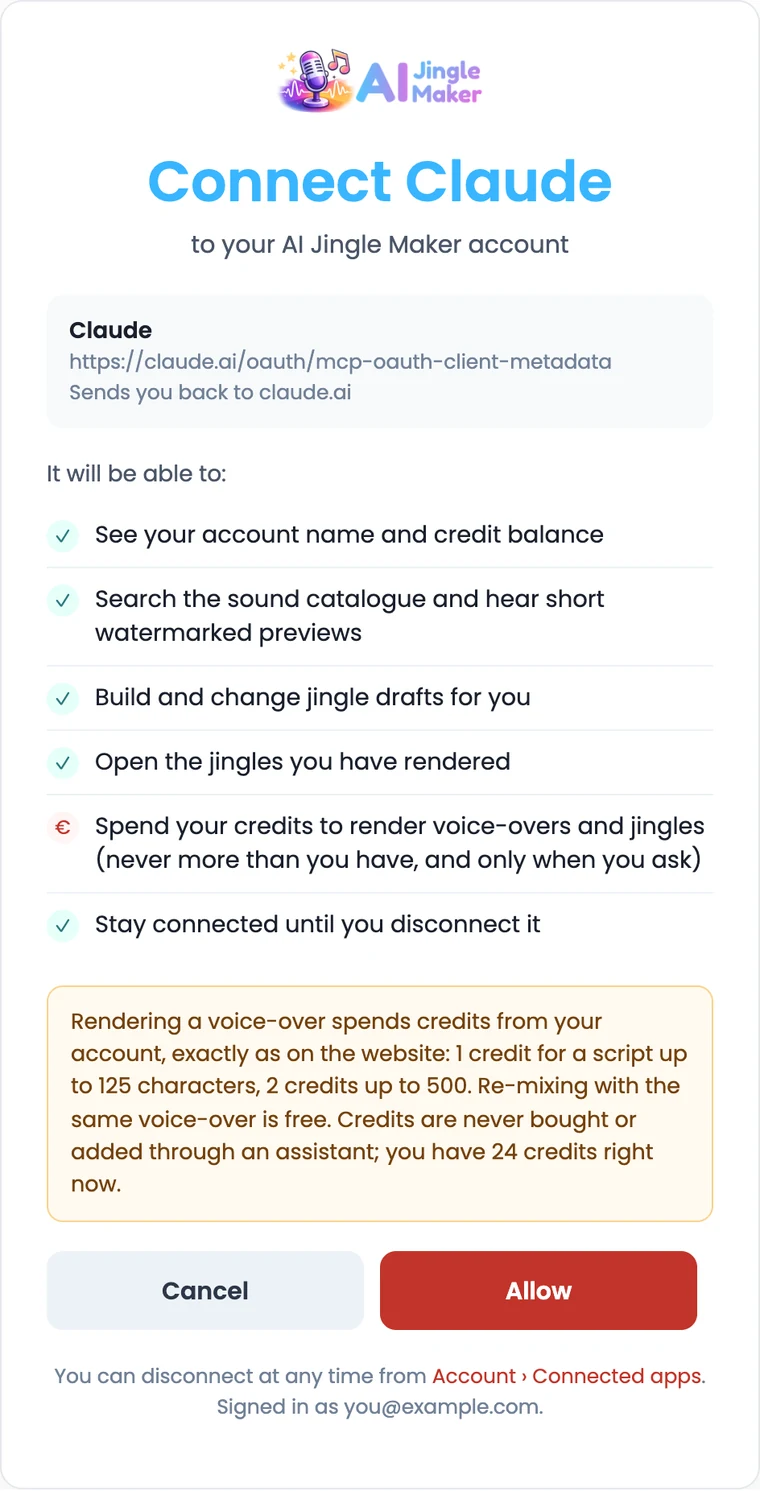
Click Connect. A window opens on aijinglemaker.com: sign in (or create a free account), check what Claude may do, and click Allow. Claude never sees your password.
Ask for a jingle
Start a new chat and describe what you need. If Claude doesn't use it, click + › Connectors and make sure AI Jingle Maker is on. The draft card lets you play every sound, swap it, edit the script and change the voice.
Hear the preview, then render
Ask to hear it: the watermarked preview of the whole jingle costs nothing. When it sounds right, say “render it”. The clean MP3 and WAV are saved to your account and the card gets download buttons.
Where it works
Free, Pro and Max
Add it yourself with the steps above. The Free plan allows one custom connector.
Team and Enterprise
An Owner adds it once under Organization settings › Connectors › Add › Custom. Each member then finds it under Customize › Connectors and clicks Connect with their own AI Jingle Maker account.
Claude Code
Add it from your terminal, then run /mcp to sign in.
claude mcp add --transport http ai-jingle-maker https://mcp.aijinglemaker.com
Things to ask
Tap one to copy it, then paste it into Claude.
What costs credits
Drafting, swapping sounds and the watermarked preview cost nothing. Rendering the clean MP3 and WAV uses 1 credit for a script up to 125 characters, 2 up to 500, and re-mixing the same voice-over is free. Claude asks before spending more than 1.
Credits stay on our site
Nothing is sold inside Claude. Credits are bought on aijinglemaker.com, never expire, and there is no subscription.
You stay in control
Claude only gets what you allow on the sign-in page. Disconnect it any time from Account › Connected apps; it stops working at once. See our privacy policy.
Good to know
Is AI Jingle Maker in Claude's connector directory?
No. You add it yourself by URL as a custom connector (step 2 above), which takes about a minute.
Do I need an AI Jingle Maker account?
Yes, Claude asks you to connect one the first time you use it, so your drafts, previews and jingles are yours. Creating an account is free.
Does it make songs?
No. It makes short produced jingles, about 10 to 30 seconds: a spoken voice-over on a music bed between an intro and an outro. For a full sung jingle, see sung jingles.
Which voices and languages are there?
99 voices, many of which speak up to 74 languages. Ask Claude for a voice by style (“deep male”, “bright female”, “British”) or by language.
Can I use the jingles commercially?
Yes. Rendered jingles are royalty-free with a commercial license, the same as jingles made on the website.
Something isn't working
Remove the connector in Claude and add it again, then reconnect. If it still fails, write to [email protected] or see support.
Your next jingle is
one sentence away
Add the connector, connect your account and ask Claude for a jingle.